The industrial AI lab where your solution is
proven before it goes live
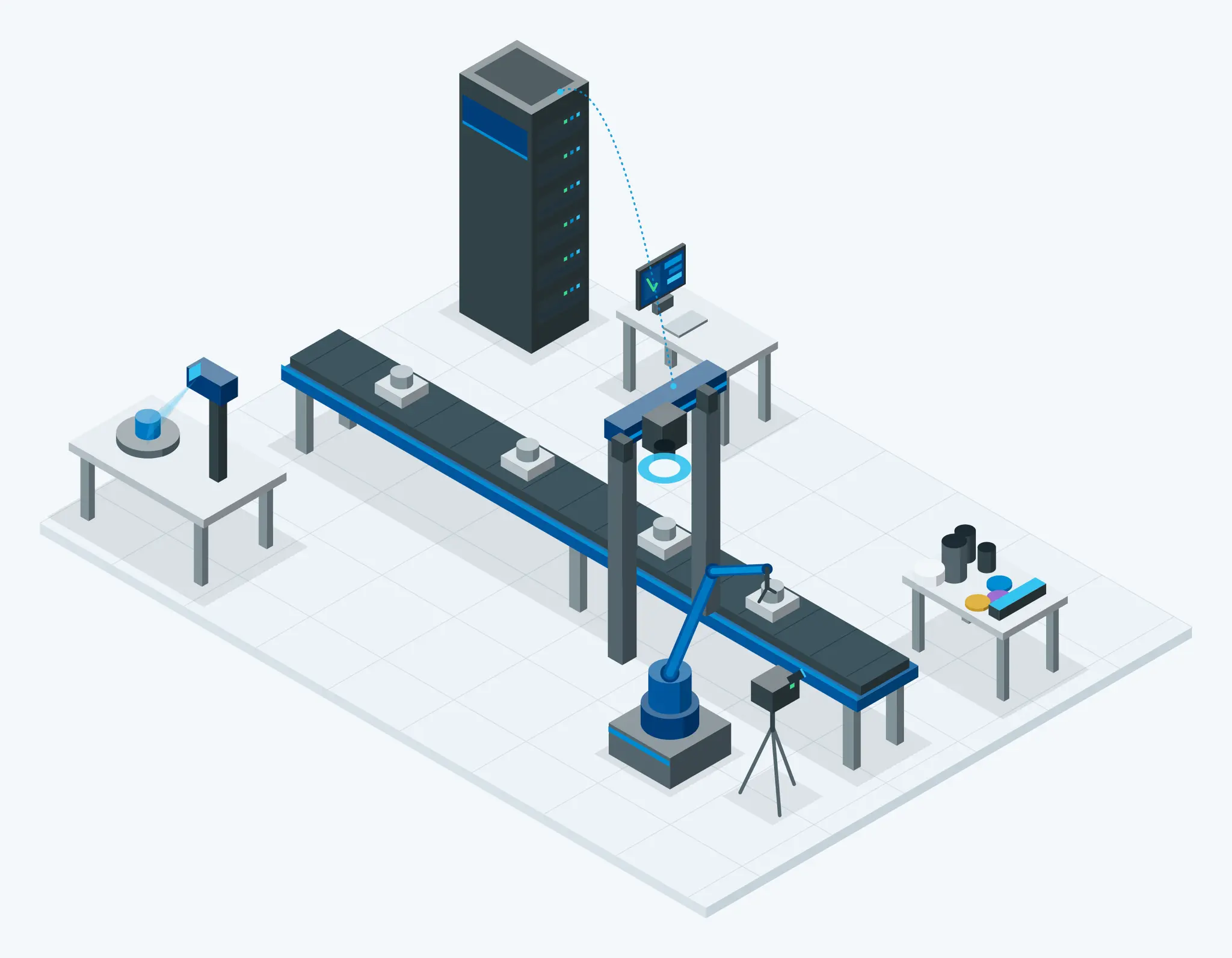
We turn automation concepts into working proofs of concept — testing them on actual parts and industrial hardware before you ever install them on your production line.
Running LLMs at the edge: what we measured
Seven open-weight LLM configurations, tested in QLAB on an HP ZGX Nano G1n AI Station (NVIDIA GB10 Grace Blackwell, 128 GB unified memory).
Up to 9×
faster with mixture-of-experts models at the same memory budget
2.7×
faster with 4-bit weights, with no quality loss detected on our tasks
5×
faster answers from a newer model generating at the same speed
Mixture-of-experts models are up to 9× faster at the same memory budget
Text generation speed vs memory used, seven model configurations
| Model | Architecture | Memory used by the model (GiB) | Generation speed (tokens/s) |
|---|---|---|---|
| Qwen3.6-35B-A3B | Mixture-of-experts | 25.0 | 73.9 |
| gpt-oss-20b | Mixture-of-experts | 15.4 | 61.5 |
| gpt-oss-120b | Mixture-of-experts | 64.6 | 42.3 |
| Qwen3.6-27B · 4-bit | Dense | 21.1 | 13.2 |
| Qwen3.8-27B · 4-bit | Dense | 21.3 | 12.8 |
| Qwen3.8-27B · 8-bit | Dense | 32.6 | 8.3 |
| Qwen3.8-27B · 16-bit | Dense | 56.4 | 4.7 |
Mixture-of-experts models split their weights into many smaller experts and use only a few of them for each token. Using a similar amount of memory, gpt-oss-120b generated 42 tokens per second, against 5 for the dense Qwen3.8-27B at 16 bits.
We use this data to choose the model and hardware for SYA and on-premise AI deployments before anything is installed.
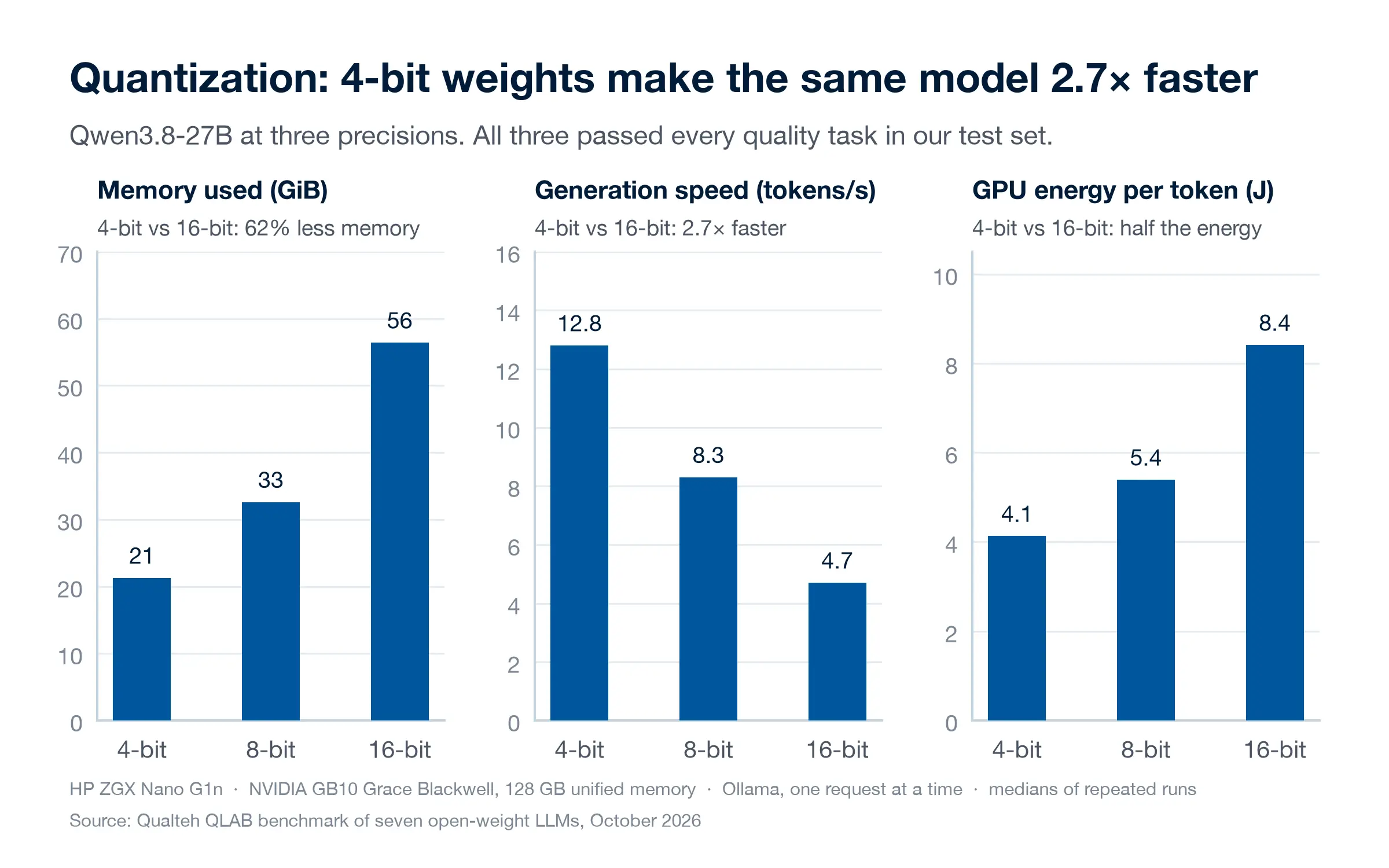 Quantization: 4-bit weights make the same model 2.7× fasterFull size
Storing the weights in 4 bits instead of 16 cut memory from 56 to 21 GiB and halved the energy per token. All three versions passed every quality task in our set, so the smaller one gave up nothing we could measure.
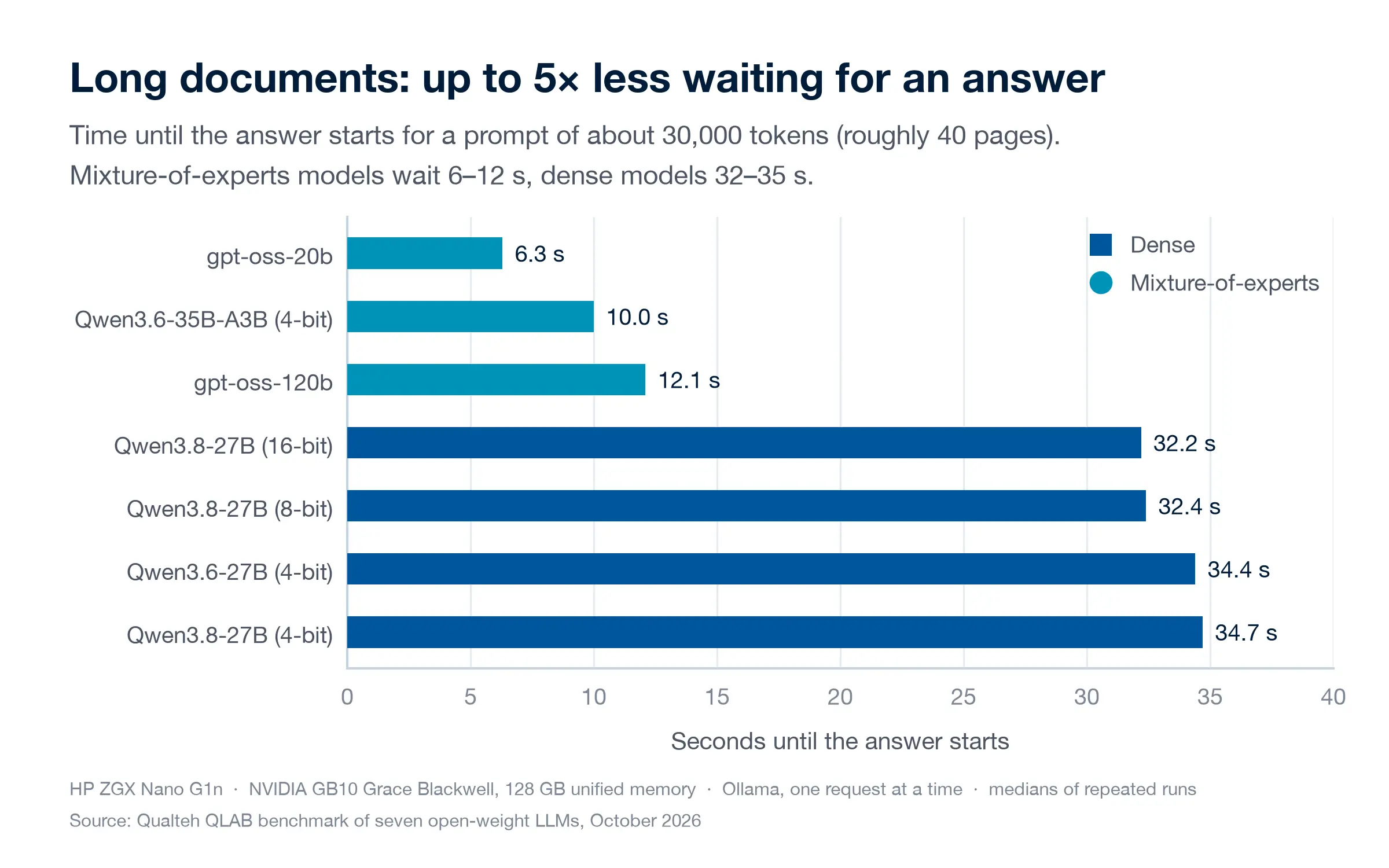 Long documents: up to 5× less waiting for an answerFull size
With a prompt of about 40 pages, the mixture-of-experts models started answering after 6–12 seconds and the dense models after 32–35. This is the wait users notice when an assistant reads long manuals, contracts or reports.
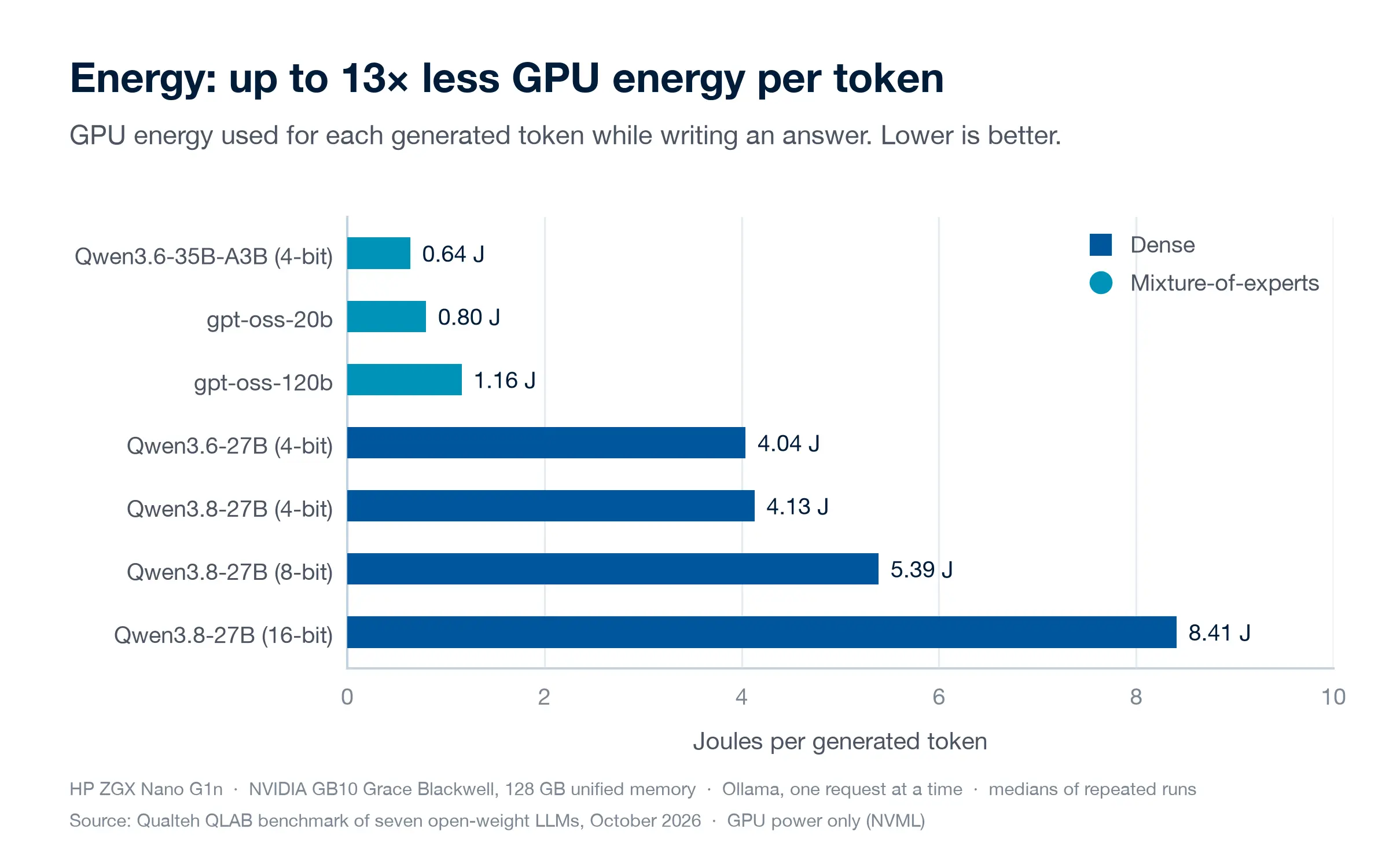 Energy: up to 13× less GPU energy per tokenFull size
Because they use only part of their weights for each token, the mixture-of-experts models needed 0.64–1.16 J per token, against 4.04–8.41 J for the dense models. On a system that runs all day, the difference adds up.
How we tested
- Hardware
- HP ZGX Nano G1n AI Station with an NVIDIA GB10 Grace Blackwell chip. Its 128 GB of unified memory is shared by the CPU and GPU, so even the largest model tested, gpt-oss-120b at 65 GiB, fits on a single unit.
- Models
- Seven configurations of open-weight models, which can run entirely on your own hardware: three mixture-of-experts models (gpt-oss-20b, gpt-oss-120b, Qwen3.6-35B-A3B) and two dense 27B models (Qwen3.6-27B, and Qwen3.8-27B at 4, 8 and 16 bits).
- Measured
- Generation speed, memory used, time until the answer starts on a prompt of about 30,000 tokens, GPU energy per generated token, and answer quality on a small set of tasks.
Measured with Ollama, one request at a time, on our own unit (18–19 October 2026). Figures are medians of repeated runs; GPU power is GPU-only. The quality task set is small, so treat it as a signal, not a ranking.

From concept to production-ready, without production risk
We rebuild your production conditions in our lab — parts, motion, optics, lighting and compute — and deliver a proof of concept tested on real industrial hardware.
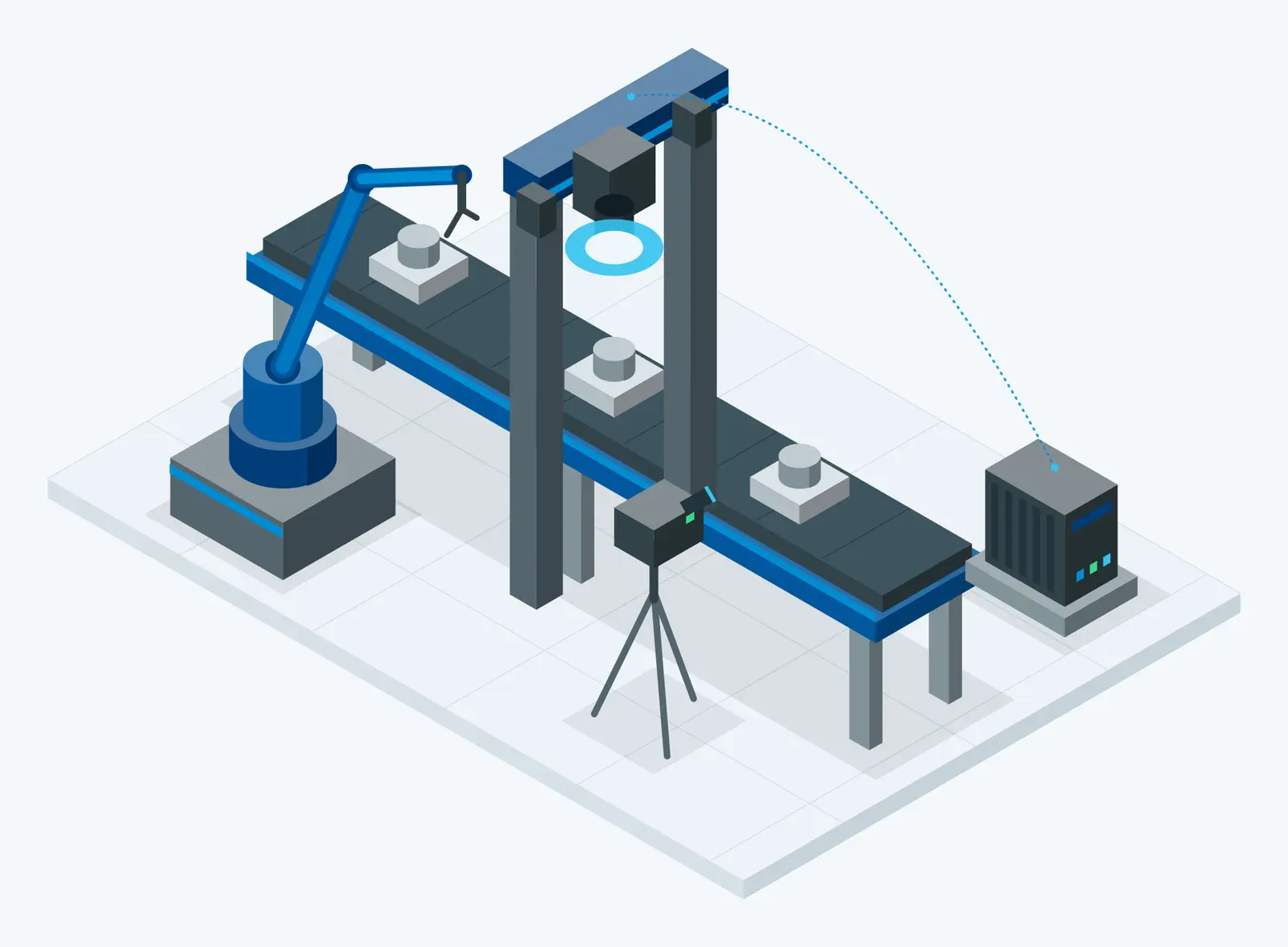
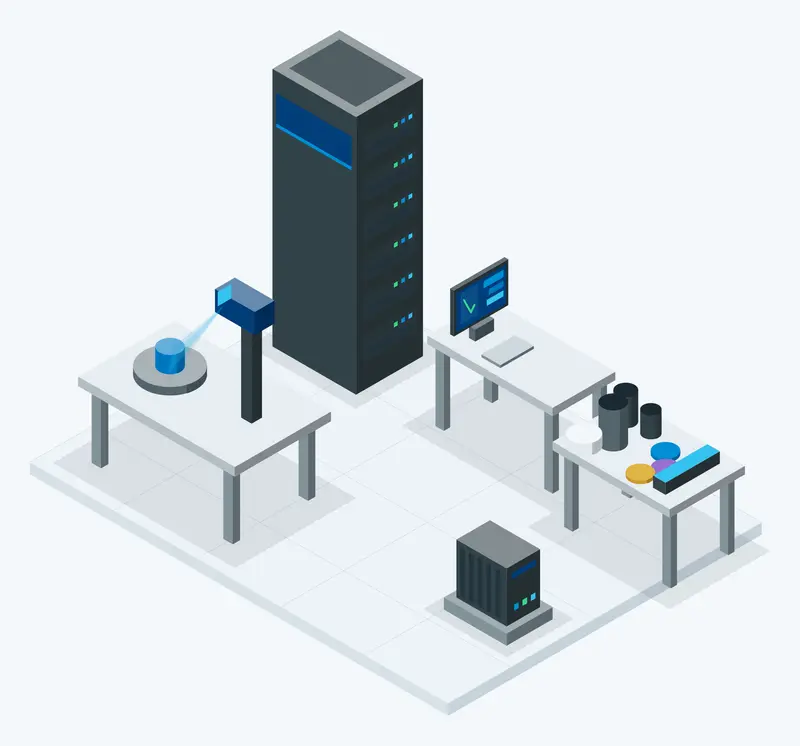
Industrial Edge AI Server
Industrial Edge AI Computers
Robot Arms
Conveyors
Industrial 2D Cameras
Industrial Lenses & Filters
Industrial Lighting
High-Precision 3D Scanner
Inspection Stands & Tables
Latest AI Models
Excellent Technology Stack
Expert Engineering Team
How we work
- 1
Discovery & Feasibility
We analyse your process, parts and quality requirements, and define measurable success criteria.
- 2
Lab Cell Setup
We build your inspection cell in QLAB: cameras, optics, lighting, motion and edge compute.
- 3
Custom AI Training
We capture data on your real parts and train dedicated, state-of-the-art AI models for your case.
- 4
Lab-Tested PoC
The complete solution runs end-to-end in the lab and is validated against the agreed criteria.
- 5
Production Rollout
Only then do we deploy to your production environment — predictably, with minimal disruption.
Powered by SYONEEX.AI
VISYA
Industrial visual AI for quality inspection, OK/NOT OK decisions, step-by-step production monitoring and data analysis for continuous improvement — 24/7, at any scale.
Discover VISYA →AI AgentSYA
Custom AI agents that give employees, partners and customers direct, intelligent access to your company's systems, documentation and knowledge — no digging, no friction.
Discover SYA →Engineers who speak software, optics, AI — and factory floor
Download our product flyer
Get a concise overview of this solution — everything you need to share with your team or decision-makers.
Ready to Request a Demo?
Join the ranks of global enterprises running on Qualteh.